Capture, Compare & Report Endoscopic Findings in Seconds
Professional endoscopy recording and reporting software developed and used daily at Excell ENT Clinic.
- Image & Video Capture
- Instant PDF Report Generation
- Image Enhancer, Annotations
- Previous Visit Comparison
- Secure Offline Patient Records
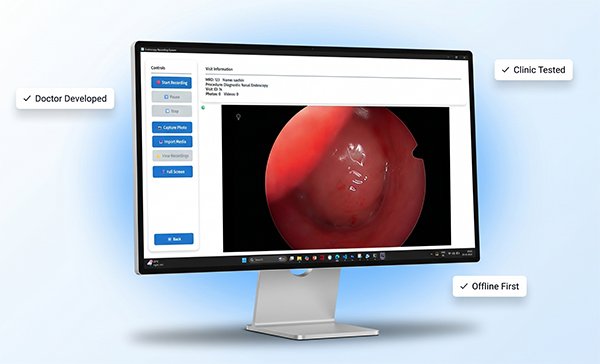
Simple Clinical Workflow
Designed around how ENT clinics actually work.
Connect Camera
Works with USB cameras and capture devices.
Capture Images & Videos
Record findings instantly during examination.
Add Findings
Quickly document observations and impressions.
Generate PDF Report
Professional reports ready instantly.
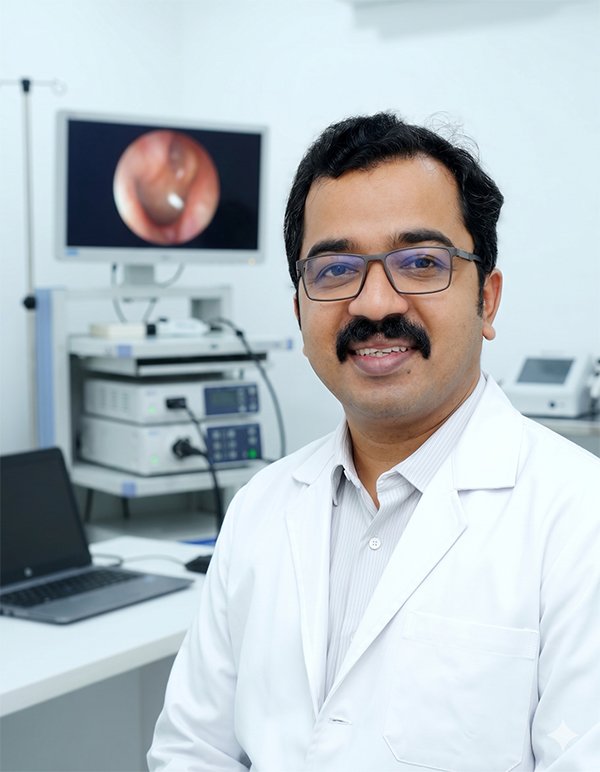
Designed in a Real ENT Clinic, Not a Software Company
As an ENT surgeon, I spent years using expensive software systems that complicated rather than simplified clinical work.
Most products were built by software companies with little understanding of how endoscopy is actually performed in a busy outpatient clinic.
Capturing images took too many clicks. Generating reports was slow. Reviewing previous examinations was cumbersome. Many systems were overloaded with features that were rarely useful in daily practice.
So we decided to build our own solution.
ExcellENT Endoscopy was developed at Excell ENT Clinic, Muvattupuzha with one goal:
Make endoscopy recording and reporting fast, reliable and practical for everyday clinical use.
Today the software is used routinely in our clinic to capture HD images and videos, compare previous visits, generate professional PDF reports and maintain patient records securely.
Dr. Sanu P Moideen
Consultant ENT, Head & Neck Oncosurgeon
MBBS, MS (ENT), DNB (ENT), FHNOS
Excell ENT Clinic, Muvattupuzha, Kerala, India
What Makes ExcellENT Endoscopy Different?
Built for Speed
Every workflow is optimized to reduce clicks and save consultation time.
Designed by a Doctor
Clinical workflow was prioritized over technical complexity.
Works Offline
Your patient data remains in your clinic under your control.
Affordable Ownership
Essential clinical functionality without enterprise software pricing.
Everything You Need For Endoscopy Documentation
Built specifically for ENT endoscopy workflows.
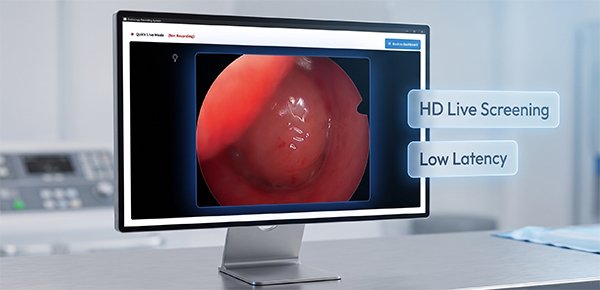
HD Live Endoscopy Capture
View endoscopic procedures in real time with smooth, low-latency video.
- Quality video display
- Instant image capture
- Video recording support
- Multiple camera compatibility
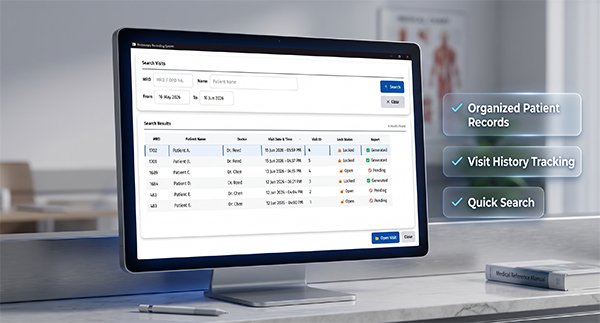
Patient & Visit Management
Organize patient records, visits, images and videos in one place.
- Patient demographics
- Visit history tracking
- Quick search
- Organized media storage
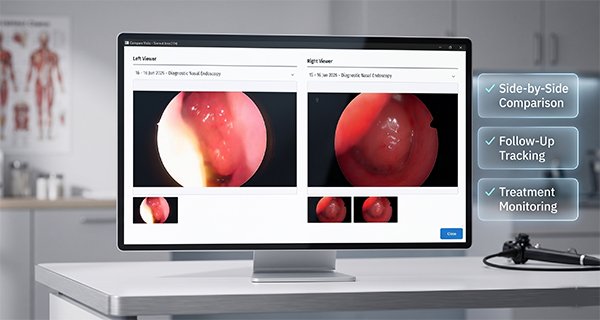
Compare Previous & Current Findings
Instantly compare historical images with current findings.
- Side-by-side comparison
- Treatment monitoring
- Improved patient communication
- Follow-up documentation
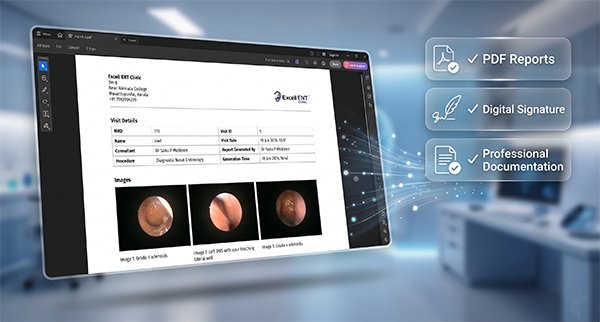
Professional PDF Reports
Generate professional reports within seconds.
- Patient details
- Embedded images
- Clinical findings
- Digital signature support
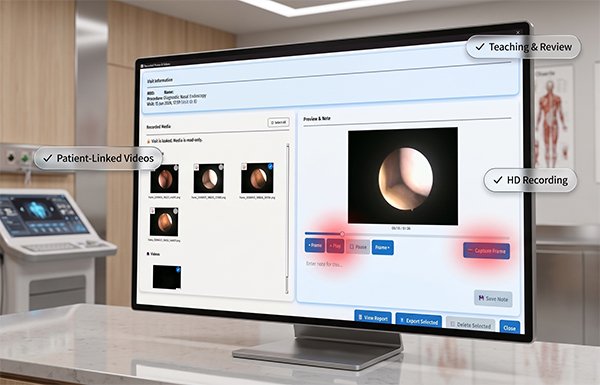
Record Procedures Easily
Save important procedures and findings as video recordings.
- HD recording
- Frame by Frame Video Playback
- Frame capture
- Teaching and review support
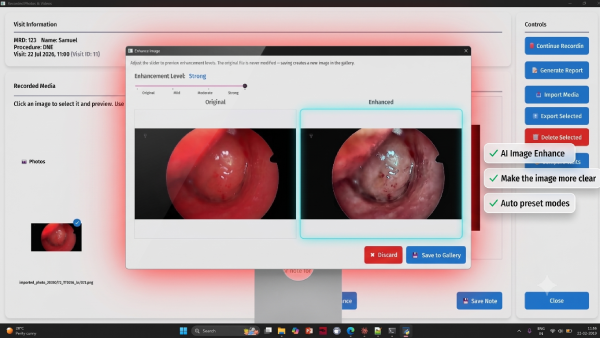
AI Image Enhancer
Enhance the clarity of your images with AI.
- Clarity Enhancer
- AI Powered
- Preset modes
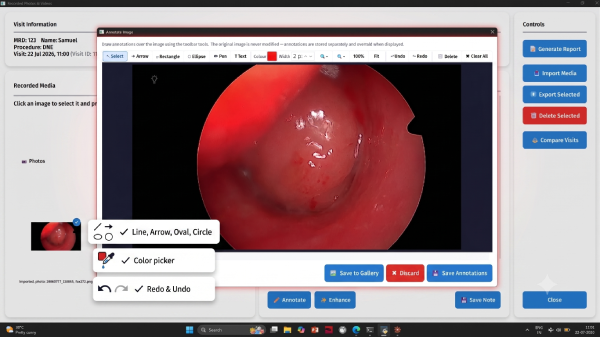
Image Annotations
Mark lesions in the images with arrow, circles, pen etc.
- Color picker
- Various drawing tools
- Undo, Redo support
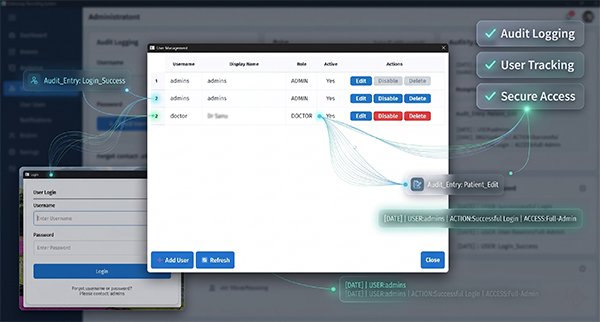
Multi-User Access & Audit Logs
Maintain accountability and security across your clinic.
- User roles
- Audit logging
- Secure access control
- Activity tracking
Works With Most USB Endoscopy Camera Systems
Designed to work with standard Windows-compatible cameras and capture devices.
USB Endoscopy Cameras
Compatible with most UVC-compliant USB cameras.
HDMI Capture Devices
Works with popular HDMI video capture cards.
Windows 10 & 11
Optimized for modern Windows systems.
Plug & Play
No complicated hardware configuration required.
Typical Compatible Equipment
| Equipment Type | Status |
|---|---|
| USB Endoscopy Cameras | Supported |
| USB Video Capture Cards | Supported |
| HDMI Capture Devices | Supported |
| UVC-Compliant Cameras | Supported |
| Windows 10 | Supported |
| Windows 11 | Supported |
Minimum Requirements
- Windows 10 or Windows 11
- Intel Core i3 or equivalent
- 4 GB RAM
- USB 3.0 Port Recommended
- 5 GB Free Disk Space
Recommended Configuration
- Windows 11
- Intel Core i5 or better
- 8 GB RAM or more
- SSD Storage
- 1080p Monitor
Not Sure If Your Camera Is Compatible?
Send us your camera model on WhatsApp and we'll help verify compatibility.
Generate Professional PDF Reports In Seconds
Give patients clear, professional documentation immediately after the procedure.
Everything Included
- Patient Demographics
- Procedure Details
- Embedded Endoscopy Images
- Clinical Findings
- Image Comments & Visit Summary
- Doctor Digital Signature
- Clinic Branding
Why Professional Reports Matter
Better Patient Communication
Patients can clearly understand findings with images and explanations.
Ready To Print
Professionally formatted reports suitable for immediate printing.
Professional Image
Enhance the quality and professionalism of your clinic documentation.
Stop Writing Reports Manually
Generate complete reports with patient information, findings, images and digital signatures automatically.
Compare Plans
Start with the free trial and upgrade when you're ready.
| Feature | Trial FREE | Basic | Professional | Enterprise |
|---|---|---|---|---|
| Patient Management | ✓ | ✓ | ✓ | ✓ |
| Photo Capture | ✓ | ✓ | ✓ | ✓ |
| PDF Reports | ✓ | ✓ | ✓ | ✓ |
| Live Screening | ✓ | ✓ | ✓ | ✓ |
| Video Recording | ✓ | ✓ | ✓ | ✓ |
| Visit Comparison | ✓ | ✓ | ✓ | ✓ |
| Doctor Signature | ✓ | ✓ | ✓ | ✓ |
| Import Media | ✓ | ✓ | ✓ | ✓ |
| Export Media | ✓ | ✓ | ✓ | ✓ |
| Image Comments | ✓ | ✓ | ✓ | ✓ |
| Image Annotations | ✓ | ✓ | ✓ | ✓ |
| Predefined Templates | ✓ | ✓ | ✓ | ✓ |
| AI Image Enhancer | ✓ | ✓ | ✓ | ✓ |
| Audit Log | ✗ | ✗ | ✓ | ✓ |
| Watermark-Free Reports | ✗ | ✓ | ✓ | ✓ |
| Multi-User Support | Single User | Single User | Up to 3 Users | Up to 10 Users |
| Multi-Camera Support | ✗ | ✗ | ✗ | ✓ |
| Licensed Devices | 1 Device | 1 Device | Up to 2 Devices | Up to 5 Devices |
| Validity | 14 Days | 1 Year | 1 Year | 1 Year |
Choose The Plan That Fits Your Clinic
No hidden charges. No monthly subscriptions.
Basic
Solo Practice
- ✓ Patient Management
- ✓ Live Screening
- ✓ HD Image Capture
- ✓ PDF Reports
- ✓ Single Device
- ✓ Single User
Professional
Growing Clinics
- ✓ Everything in Basic
- ✓ Video Recording
- ✓ Visit Comparison
- ✓ Digital Signature
- ✓ Image Annotation
- ✓ Audit Logs
- ✓ Up To 2 Devices
- ✓ Up To 3 Users
Enterprise
Hospitals & Multi-Doctor Clinics
- ✓ Everything in Professional
- ✓ Multi-Camera Support
- ✓ Shared Licensing
- ✓ Priority Support
- ✓ Up To 5 Devices
- ✓ Up To 10 Users
Try Before You Buy
Download the complete software and use every feature in your clinic for 14 days. No credit card. No hidden charges. Decide only after you're satisfied.
Refund Policy: Since the software includes a full-featured 14-day evaluation period, all software purchases are final after activation. If you experience any technical issues during activation, we'll resolve them promptly or extend your trial if needed.
Download Free TrialBuilt For Real Clinical Work
Developed and used in a busy ENT practice.
"ExcellENT Endoscopy was created because the software available to us was either too expensive, too complicated, or too slow for routine ENT practice. We wanted something that simply worked."
Dr. Sanu P Moideen
MBBS, MS (ENT), DNB (ENT),FHNOS
Consultant ENT, Head & Neck Oncosurgeon
Excell ENT Clinic, Muvattupuzha
Used Daily
Used In Clinical Practice
Offline First
Secure Local Data Storage
Doctor Developed
Image & Video Capture
Instant Reports
Instant Report Generation
Why Doctors Choose ExcellENT Endoscopy
Fast Workflow
Optimized to reduce clicks and speed up reporting.
Built By A Doctor
Designed around real ENT practice rather than generic software workflows.
Works Offline
Your patient records remain under your control.
Early Adopter Program
We are currently onboarding early users and would love to hear your feedback. Your suggestions will directly influence future development.
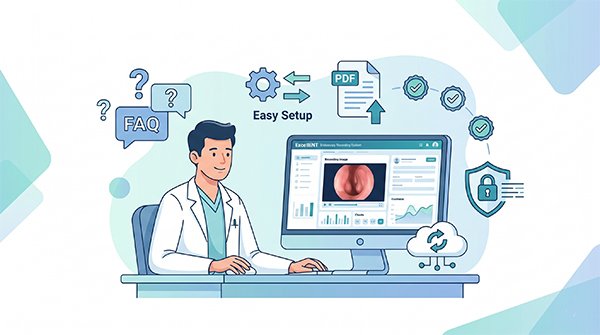
Questions Doctors Commonly Ask
Everything you need to know before trying ExcellENT Endoscopy in your clinic.
Start Using ExcellENT Endoscopy Today
Capture images, record videos and generate professional PDF reports in minutes.
Built and used daily by an ENT Surgeon in clinical practice.
Installation Note
Because ExcellENT Endoscopy is downloaded directly from our website, Windows SmartScreen may display a security warning during installation.
If this occurs:
- Click More Info
- Click Run Anyway
If you need help, contact us on WhatsApp.
Need Help Choosing A Plan?
Tell us about your clinic setup and camera system. We'll help you choose the right edition.